
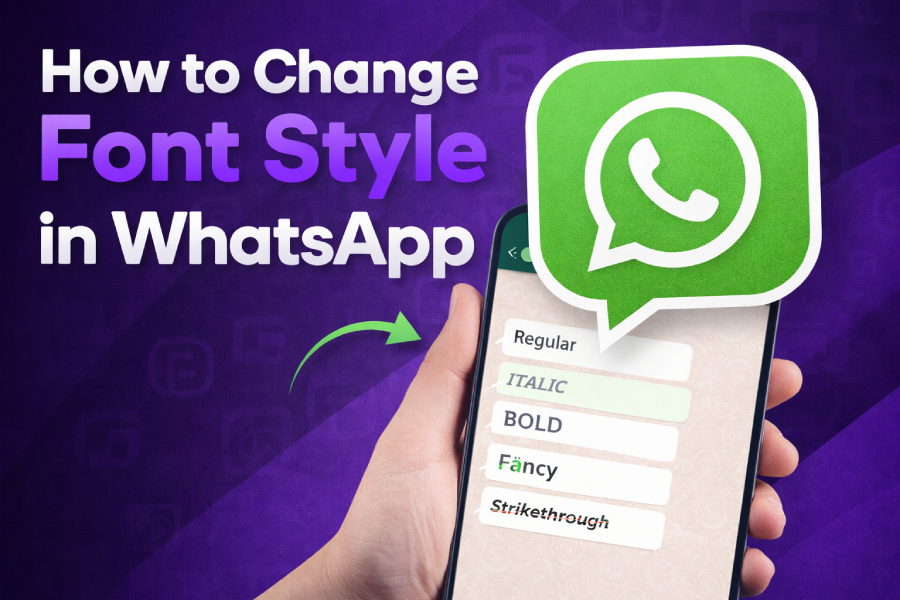
WhatsApp has become an indispensable messaging tool, offering users multiple ways to communicate. One feature that can add a personal touch to your conversations is text formatting.
By changing the font style in WhatsApp, you can easily emphasize important words, express your emotions more effectively, or simply add some creativity to your messages.
In this article, we will explore how to use WhatsApp’s built-in text formatting features and how to customize your text with external font generators.
WhatsApp’s Built-In Text Formatting Options
WhatsApp offers a few built-in text formatting options that help emphasize your message or make it stand out. These options include bold, italics, strikethrough, and monospace text. The best part is that they are easy to apply and don’t require any additional apps.
Here’s how you can apply them:
- Bold: Surround your text with asterisks (*) to make it bold. Example: *text*
- Italics: Use underscores (_) around your text for italics. Example: _text_
- Strikethrough: Place tildes (~) around the text to strikethrough. Example: ~text~
- Monospace: Use backticks (`) around the text for monospace. Example: `text`
These formatting shortcuts work across all platforms, including Android, iPhone, and WhatsApp Web, providing a seamless experience. If you want to go beyond these basic styles, font generators can add more creative options to your text.
For more options and to go beyond these basic styles, you can turn to font generator tools like the Freaky Font Generator.
Using the Freaky Font Generator for WhatsApp
If you’re looking to add more creativity to your WhatsApp messages, font generators are a great option. The Freaky Font Generator allows you to convert plain text into a variety of stylish fonts that aren’t available by default in WhatsApp.
Using this tool is simple: just type in your desired text, choose from various font styles, and then copy and paste it into your WhatsApp message. The fonts generated are unique and can add a personal touch to your messages, making them stand out in both casual and professional conversations.
This approach gives you the flexibility to experiment with different looks for your messages, adding personality and fun to your conversations. By using the Freaky Font Generator, you can elevate your WhatsApp messages to a whole new level.
Changing WhatsApp Font Style on Different Devices
WhatsApp’s font formatting options work across all devices, including Android, iOS, and WhatsApp Web. The process for changing the font style is the same, though the interface may differ slightly.
- On Android: Type the text and enclose it with the formatting symbols for bold, italics, or strikethrough.
- On iPhone: The process is identical, and you can format your text by using the same symbols.
- On WhatsApp Web/Desktop: Formatting works seamlessly, and you can change the text style in real-time.
For a more creative approach, you can use font generators like the Freaky Font Generator to create unique fonts and paste them directly into WhatsApp messages, regardless of the device you’re using.
Exploring Stylish Keyboard Apps for Font Customization
Stylish keyboard apps like Gboard or FancyKey can enhance your WhatsApp messaging experience by providing additional fonts that are not available through WhatsApp’s built-in formatting options. These apps allow you to change the font style while typing, making it easier to use custom fonts in WhatsApp.
Stylish keyboards are beneficial because they offer a wide variety of fonts that you can use instantly in WhatsApp. Whether you want a fun or professional look, these apps let you personalize your messages with ease.
Once you have installed a stylish keyboard, simply type your message in WhatsApp using your chosen font. It’s a simple yet powerful way to express yourself with text customization.
Customizing WhatsApp Status with Unique Fonts
WhatsApp statuses are an excellent way to share updates with your contacts, and customizing your font style can make your status more eye-catching. You can use font generator tools like the Freaky Font Generator to generate creative fonts that are perfect for WhatsApp statuses.
Once you’ve created your custom text using a font generator, simply copy and paste it into your status update. This allows you to share your thoughts in a fun and unique way, making your status more engaging for your contacts.
By using creative fonts, you can add personality to your status updates and express yourself more effectively. Whether you’re posting a motivational quote or a fun update, custom fonts can help your status stand out.
Font Size Adjustment for WhatsApp Messages
WhatsApp does not allow direct control over the font size within the app, but you can adjust the overall text size on your device. This feature is particularly useful for users who need to make the text larger or smaller for readability purposes.
- On Android: Go to your phone’s settings and adjust the font size slider under “Display.”
- On iPhone: Navigate to “Display & Brightness” in your iPhone’s settings to adjust the font size.
This setting changes the text size for all apps, including WhatsApp, so you can ensure that your messages are comfortable to read.
Font Customization for WhatsApp Group Chats
In WhatsApp group chats, it’s often useful to make your messages stand out, especially when there are many participants. Changing the font style can help highlight important information or make your messages more fun and engaging.
However, it’s important not to overuse fonts in group chats, as too much decoration can make your messages hard to read. Stick to bold or italics for emphasis, and choose easy-to-read fonts for longer messages.
Using font generators like the Freaky Font Generator can help you create stylish and readable fonts for group chat messages.
Professional Use of WhatsApp Fonts
While using custom fonts can be fun, there are times when you need to maintain a professional tone. When sending work-related messages or communicating with clients, it’s essential to keep the text clear and professional.
In these situations, it’s best to use basic text formatting like bold and italics to emphasize key information without making the text too flashy. Stick to simple fonts and avoid excessive use of decorative text styles to maintain professionalism.
For business communication, clarity and readability are the top priorities, so use formatting sparingly and effectively.
Tips for Using WhatsApp Fonts Effectively
To get the most out of WhatsApp’s font features, consider these tips:
- Use fonts for emphasis: Bold and italics are great for highlighting important points.
- Don’t overdo it: Too many different fonts can make your message look cluttered and hard to read.
- Consider the context: Keep it simple for professional messages, and feel free to get creative for personal chats.
By following these guidelines, you’ll ensure that your WhatsApp messages are not only visually appealing but also easy to understand.
Troubleshooting Font Issues on WhatsApp
Sometimes, WhatsApp might display your text in a different font style or size than you intended. This can happen due to accidental use of formatting symbols or issues with the font generator tool you’re using. If this occurs, check your text for stray symbols and remove them if necessary.
If the problem persists, try clearing your app’s cache, restarting WhatsApp, or updating the app to the latest version. These steps can help fix minor font formatting glitches and improve your experience.
For more creative fonts, you can rely on trusted font generators like the Freaky Font Generator to customize your WhatsApp messages and resolve any formatting problems.
Conclusion
Changing the font style in WhatsApp is an easy and fun way to personalize your communication. Whether you’re using WhatsApp’s built-in formatting options or relying on font generators, you can easily customize your text to suit any occasion. By following the tips and using the tools available, you can make your WhatsApp messages more engaging and visually appealing.